The Bloomify Ashen Vercel App helps visitors move from an initial question to a concrete first action. Bloomify is a digital gifting experience for creating a flower arrangement and pairing it with personal words. Its landing page frames the idea as an animated bouquet that can live on a recipient’s screen. The guided builder starts with a selection of flowers, then moves into greenery and arrangement choices, followed by a note. This creates a small creative journey rather than presenting a single finished image. The online format is useful when someone wants to send a visual greeting or a thoughtful gesture from a distance. It is a digital gift, not a delivery service for physical flowers.
A typical Bloomify Ashen Vercel App session begins with a simple choice and grows through the controls shown on the page. The builder presents a choice of ten flowers: rose, tulip, sunflower, orchid, lily, daisy, carnation, dahlia, anemone, and zinnia. A visitor can choose up to seven flowers, adding or removing each type as the bouquet takes shape. This limit encourages a composition with a clear selection rather than an unlimited pile of blooms. Someone can choose a familiar combination for a celebration, or make a more unusual mix simply because the colors and forms feel right. The step is easy to understand, and the visible count helps keep the arrangement within its stated limit.
Bloomify Ashen Vercel App is easiest to assess by making one sample bouquet from start to finish.
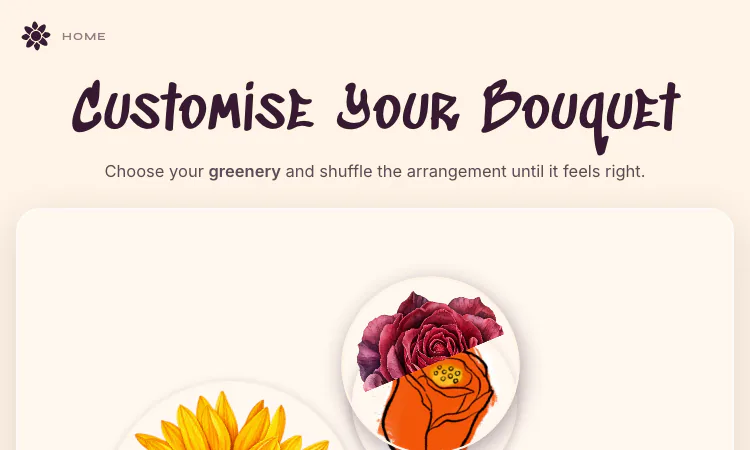
One reason to explore the Bloomify Ashen Vercel App is the way it makes the primary task visible without requiring a long setup. After selecting blooms, the next builder step offers greenery choices labeled Wild Meadow, Garden Rose, and Rustic Fern. The page also invites the visitor to shuffle the arrangement and drag flowers to rearrange them. This gives a sender a second layer of personalization: not only which flowers appear, but also how they sit together. A user can explore more than one layout before continuing. The controls keep the task approachable by focusing on a few visible choices, instead of exposing a large design editor with many technical settings.
For returning visitors, the Bloomify Ashen Vercel App offers a familiar route back to the feature or detail they want to revisit. A later step lets the sender write a note and enter the recipient’s name. The wording on that screen presents the message as part of a personal digital diary, which supports a more intimate tone than a generic greeting. A short sentence can explain why the bouquet was made, while a longer note can carry a birthday wish, encouragement, thanks, or a personal memory. The written message complements the visual choices. The site’s flow encourages visitors to think about the recipient while they compose, making the gesture feel intentional even though it is created and delivered online.
A typical Bloomify Ashen Vercel App session begins with a simple choice and grows through the controls shown on the page. The builder moves from flower selection to greenery and arrangement, then to a message. This order gives a first-time visitor a clear path: decide what the bouquet should contain, adjust how it looks, and finish with words. The page shows progress in the flower step and offers clear next actions. A sender can revise the selection before moving forward, then adjust the arrangement after seeing the chosen blooms together. The process is suited to a brief creative session; someone can begin with a small idea and let the visual choices suggest what the message should say.
In a directory context, the Bloomify Ashen Vercel App gives readers a concise name for a product whose details are best explored directly. A personalized bouquet can be used for occasions such as birthdays, congratulations, appreciation, encouragement, or a long-distance hello. These are examples of the kinds of messages people might pair with flowers, rather than a fixed menu of occasions. Because the composition is online, a visitor can create it without choosing a physical delivery date or address. The visual and written elements together make the gift feel more specific than a stock greeting. It may be especially appealing when a sender wants to make something playful, romantic, or kind and share it quickly.
A thoughtful visit to the Bloomify Ashen Vercel App keeps the intended task in view while leaving room to explore alternatives. Bloomify does not require a visitor to begin with drawing skills. The flower picker supplies recognizable elements, and the greenery and shuffle controls offer ways to personalize the result without starting from a blank artboard. Dragging flowers creates room for manual adjustment, while the next-step button keeps the flow moving. A user who enjoys crafting can experiment with composition; someone who simply wants a thoughtful message can use the guided defaults. This range makes the builder approachable for both curious first-time visitors and people who enjoy refining visual details.
The Bloomify Ashen Vercel App suits visitors who prefer to learn through a short, hands-on session. A digital bouquet can be more meaningful when its note is specific. Instead of relying on a generic line, a sender might mention a shared memory, a small act of kindness, or a reason the recipient came to mind. The builder’s note step makes that personal element part of the creation, rather than an afterthought. The selected flowers and greenery can reinforce the mood, while the words explain the intent. This combination is what distinguishes a custom bouquet from a decorative image alone. It gives the recipient a visual object and a message to read.
The product offers a lightweight online way to create a gift when physical flowers are not practical or are not what the sender wants. A person can work through the flower and message steps in a browser and create something intended for digital sharing. That can suit long-distance friendships, remote celebrations, or spontaneous gestures. It should not be described as a substitute for every kind of gift: people may still prefer a physical bouquet, a handwritten card, or another form of contact. Bloomify provides one additional way to express care through a custom visual.
A visitor can use Bloomify Ashen Vercel App to prepare a digital gift for someone at a distance.
The landing page describes the bouquet as animated and says it can live on the recipient’s screen. That framing explains the product’s purpose: a visual online gift, paired with a personal note. Visitors should review the final flow on the site to understand how the created bouquet is shared and what the recipient sees. The experience is digital, so it depends on access to a screen and the site’s available sharing process. The product makes the act of composing feel special, while leaving the sender in control of the flowers, greenery, arrangement, and message.
Bloomify Ashen Vercel App invites the sender to consider both the arrangement and the personal note.
Someone new can begin by choosing a few favorite flowers, then try the greenery options and shuffle the arrangement until it feels balanced. The next step is to add a name and a message that sounds like the sender. A short note is often enough if it is personal. Before sharing, it can help to read the message once from the recipient’s perspective and confirm that the visual tone matches what the sender intends. This simple process turns a few small choices into a coherent gift without making the creation feel like a formal design assignment.
For this directory, Bloomify Ashen Vercel App supports the angle of a practical evaluation path: A practical evaluation begins with a small real task. Visitors can choose flowers, refine the greenery and layout, then write a personal note then decide whether the available controls, pacing, or information are enough for their needs. This is a more grounded way to assess the product than judging it by a name alone. A short trial should answer one question at a time: can the user complete the intended task, understand the result, and see what to do next? If the answer is yes, further exploration makes sense. If not, the listing still helps the visitor move on with clearer criteria.
Does a digital bouquet arrive as a physical delivery? The page presents an online animated gift, so a visitor should review the sharing flow and recipient view before sending. How can the result feel personal? Select flowers with intention and use the message field to explain the gesture. A small number of considered choices can make the composition feel more meaningful than adding every possible detail. The strongest use of the builder is to make a small gesture feel considered. A sender might choose colors the recipient likes, use greenery that suits the mood, and keep the message personal rather than over-polished. The shuffle and drag controls can help the arrangement feel less generic, but the note is what gives the composition context. Since the finished item is digital, a short explanation in the message can make the gesture clear. Visitors can approach the builder as a creative pause: choose a few details, review the result, and decide whether it expresses what they want to say.
Premium undetected game modifications, HWID spoofers, and free gaming tools designed for seamless performance, maximum stability, and account safety.
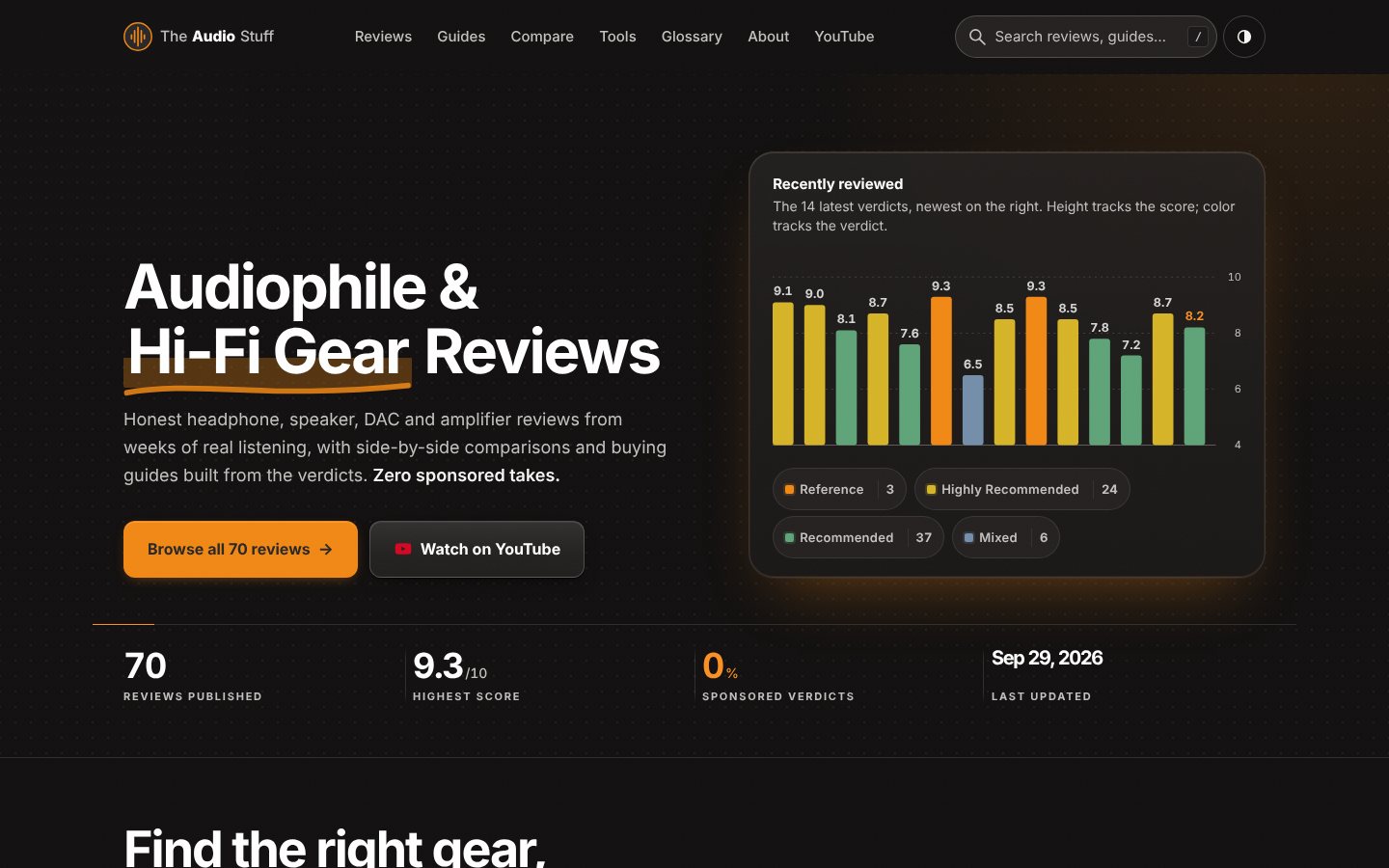
Find the right hi-fi gear for your ears, room and budget: ad-free reviews from weeks of listening, 12 buying guides, 35 comparisons and 17 free audio tools.

Get Face Report is an AI-powered facial analysis and personal styling platform that helps users understand their facial features

Antique Scanner reads hallmarks, maker's marks and wear in your photos — and returns an honest identification with age and value ranges.
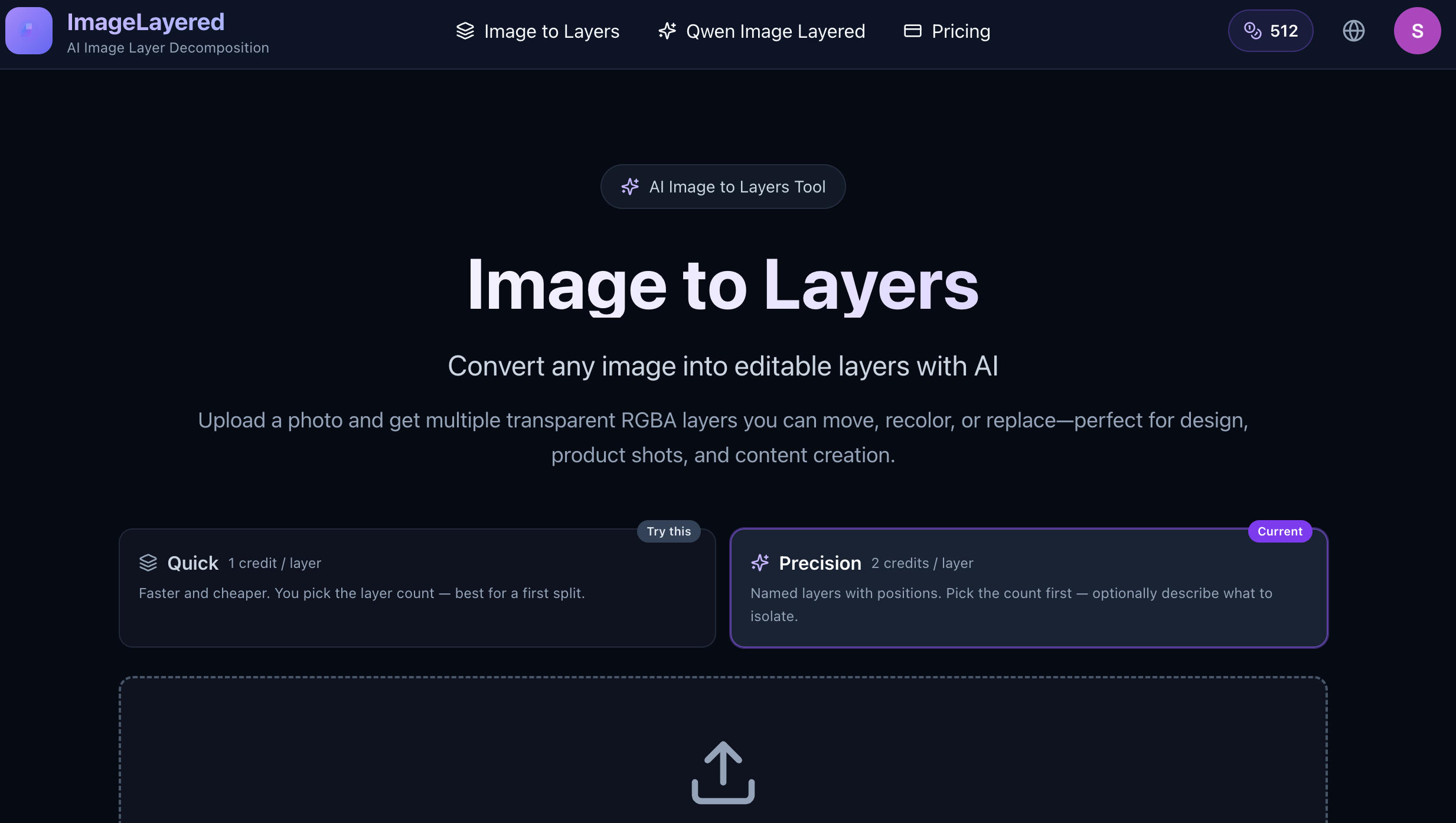
Turn Flat Images Into Editable Layers.
Turn any image into editable layers
