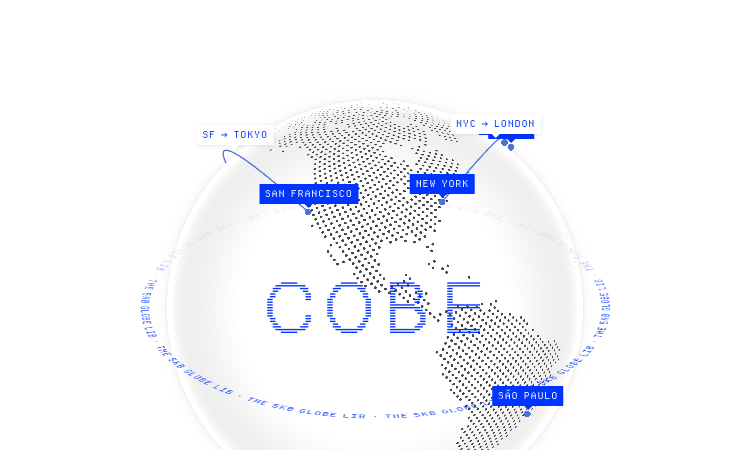
Cobe Js is a 5KB WebGL globe library with a live demo site hosted on Vercel.
We are not the official developer of Cobe Js. This page helps users find, understand, and use the product.
Cobe Js is a single-purpose library: it renders a 3D globe on an HTML canvas using WebGL, and it is engineered to stay around 5KB so it fits in any budget-conscious frontend. The site itself is the product showcase — a fullscreen globe demo that cycles through 13 scenes, including labels on cities, satellite-style orbits, flight arcs between cities, weather data points, analytics bars, and a "live badge" pulse mode. On first open you see a dark globe with glowing city markers for San Francisco, New York, Tokyo, London, Sydney, Cape Town, Dubai, Paris, and São Paulo, with animated arcs between them.
Technically, the API surface is deliberately tiny. You install it with npm install cobe, import createGlobe, and pass a canvas plus an options object: devicePixelRatio, width, height, phi/theta for rotation, dark, diffuse, mapSamples, mapBrightness, baseColor, markerColor, and glowColor. The demo page shows this exact configuration and links to working examples for React, Vue, and Svelte.
npm install cobe (or import via the CDN link on the site).import createGlobe from 'cobe'.createGlobe(canvas, options) with your canvas and config — copy the options shown in the demo, then adjust colors, markers, and rotation to match your brand.Cobe Js has an openly auditable codebase: the full source is on GitHub under the MIT license, with over 5,600 stars, and the library has no backend component — it draws on a canvas you provide and does not phone home, collect data, or require accounts. The demo page is a static deployment on Vercel requiring no login or payment. The author, Shu Ding, is a well-known Vercel developer with a public track record (SWR, Next.js). The practical caveat is that cobe only renders; it does not include map or location data, so you must supply your own markers. We cannot promise "100% safe", but this is one of the cleaner, more transparent libraries in its category.
Cobe Js became popular in frontend circles because it collapsed the effort of 3D visualization: a globe that normally suggests Three.js and megabytes of dependencies is available at 5KB. The project launched with a viral X/Twitter thread from Shu Ding explaining the rendering tricks behind the tiny bundle, and the "COBE" demo site itself became a reference people link to when they see an animated globe on a landing page. With over 5.6K stars and active updates, it is now a go-to answer for "how to make a 3D globe in React" — which is exactly the search intent behind "cobe js".
If Cobe Js does not work, try:
createGlobe.If you like Cobe Js, you can also try:
The official website is https://cobe.vercel.app/, with source at github.com/shuding/cobe.
Yes, the library is MIT-licensed and free to use, including commercially.
No account is needed — the demo works without login and the library runs entirely in your project.
Shu Ding (@shuding), a developer at Vercel and creator of the SWR data-fetching library.
Yes, the library is maintained (recent commits on GitHub) and the demo site is online as of 2026-08-21.

Get Face Report is an AI-powered facial analysis and personal styling platform that helps users understand their facial features

Antique Scanner reads hallmarks, maker's marks and wear in your photos — and returns an honest identification with age and value ranges.
Turn Flat Images Into Editable Layers.
Turn any image into editable layers

Longruay - Official site: US$100 million, 30 days, one daily decision with AI briefings from Mira.

Life Path Calculator - trustworthy free numerology: verifiable math, honest Master Numbers, AI reading with refunds.
