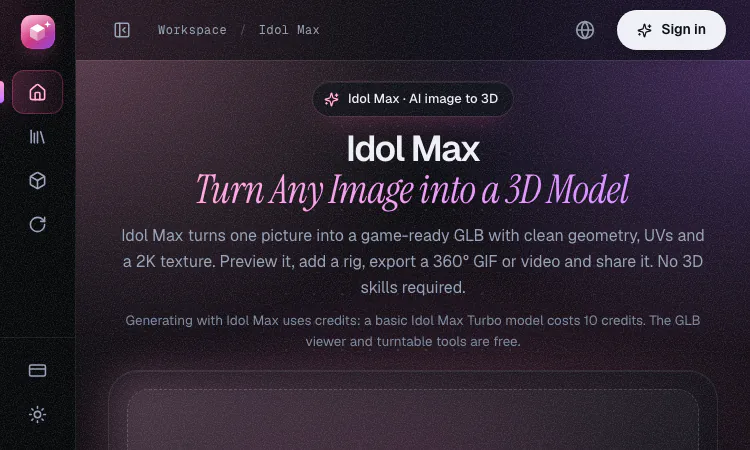
Developers who ship games, web scenes or AR experiences often need a 3D asset faster than a modeling team can produce one. Image to 3D answers that need with one picture as input and one GLB file as output. Idol Max, the Image to 3D service behind it, produces a lightweight mesh with UV coordinates, a 2K base-color texture and a normal map, which are the pieces most engines expect. This page looks at Image to 3D from a developer's point of view: file contents, mesh budget, pipeline placement, cost control and the limits to plan for before you integrate the output.
Each job returns one GLB file rather than a folder of parts. Inside that file you find geometry with about 30k triangles, UV coordinates, a 2K base-color texture and a normal map. The site says it drops into Unity, Unreal, Godot and three.js, so the same Image to 3D output can feed a game build or a browser scene. Because each Image to 3D file is self-contained, you can version it, hash it and load it without rebuilding anything from the original picture.
The roughly 30k-triangle mesh from an Image to 3D run is a useful starting budget for props and characters in real-time scenes, although your target platform sets the final limit. Check that the UV layout suits your texture pipeline before you bake new maps. Idol Max Turbo projects its color from the 3D shape, which is quick, while Idol Max repaints the base color from your image for closer fidelity. Choose the model that matches the look you need, and treat each Image to 3D export as a candidate for retopology or decimation if your budget is tighter.
Every Image to 3D result includes a normal map, which encodes fine surface detail without extra polygons. For physically based shading, you can add PBR maps to get roughness and metallic maps as well. That option takes longer and costs 10 more credits, and those maps help your renderer respond to light the way a real surface would. Add PBR maps to an Image to 3D asset only when the material matters, such as hero props in a bright product scene, and skip them for background pieces where the base texture already reads well.
Use the free GLB viewer to inspect every Image to 3D file in a browser before it reaches your engine. It lets you orbit, zoom, switch lighting and view the model as textured, clay or wireframe, which helps you spot odd shading, stretched UVs and uneven mesh density. The turntable maker can produce a quick looping preview for your team. Both tools need no sign-in and no upload, so they fit neatly into a review step after every Image to 3D run.
Switch on rig for characters and creatures, and the system adds a skeleton, skin weights and looping walk, run, jump and idle clips when the skeleton can play them. The rig add-on costs 3 credits on Turbo and 5 on Idol Max, and it is refunded if the rig fails. A rigged Image to 3D character can move in your engine without manual skinning, which can save time on early prototypes. Not every subject suits a rig, so test a static Image to 3D output before you pay for animation.
Credit packs start at $10 and never expire, which suits a pipeline that produces assets in bursts. A Turbo Image to 3D run costs 10 credits and an Idol Max run costs 20, with rig and PBR add-ons on top. Failed generations are refunded. Plan the budget per asset rather than per project, track the Image to 3D cost of each asset, and rerun only the Image to 3D jobs that truly need a new source image. Start with one Image to 3D test to measure your real cost before you scale up.
| Pack | Credits | Approximate Turbo runs |
|---|---|---|
| $10 | 400 | about 40 |
| $25 | 1,250 | about 125 |
| $50 | 3,000 | about 300 |
| $100 | 7,000 | about 700 |
For web work, load the GLB with three.js or another loader, then set lighting and a fallback background that match your page. Compress textures if the page must load quickly, and test the model on mobile devices before launch. Each Image to 3D model can become an interactive product block, a game prop or a demo object, depending on where it lives in your stack. Keep a record of which Image to 3D model version shipped to each environment, so a rollback is a file swap rather than a new job.
Image to 3D is strongest on single subjects. Scenes with several objects, transparent materials or heavy occlusion need more manual work. Expect some cleanup before final shipping, and plan time for retopology or texture edits where the asset must hit a strict budget. Treat every Image to 3D output as a strong draft rather than a finished asset, and keep a review checklist in your project wiki.
Q: Which pictures work best for Image to 3D?
A: A clear picture of one object, character or creature, ideally on a simple background. Use the render option for illustrations and AI-generated pictures, and the photo option for photographs.
Q: Can I use the models in games I ship?
A: The site says Image to 3D assets generated through the fal API can be used in commercial projects, including games you ship. Check fal's terms, confirm you have the rights to the source image, and record those rights for each Image to 3D asset in your project files.
Q: What happens to my models?
A: Finished models are kept for 30 days, or 365 days once you have bought credits, and you can delete them at any time in My Models. The site also says your image is sent to fal to build the model and is not stored by IdolMax. Download each GLB early so your pipeline does not depend on storage windows.
Q: Is this the official site?
A: No. IdolMax.net is an independent Image to 3D tool that uses Idol Max and Idol Max Turbo through the fal API. It is not affiliated with fal or SperidLabs, so label it accurately in your credits and documentation when you use an Image to 3D output.
Start with one clean Image to 3D test picture, measure the output in the viewer, and compare Turbo with Idol Max on the same Image to 3D input. When the Image to 3D result meets your engine's limits, scale the workflow. Keep the GLB files under version control, along with the source pictures and the model choice, so every Image to 3D asset can be reproduced later. Ready? Open Image to 3D and upload your first test image.
Project Moon Life is a browser simulation where a resident’s health, sanity, resources, and relationships shift as each decision changes the next year.
Premium undetected game modifications, HWID spoofers, and free gaming tools designed for seamless performance, maximum stability, and account safety.
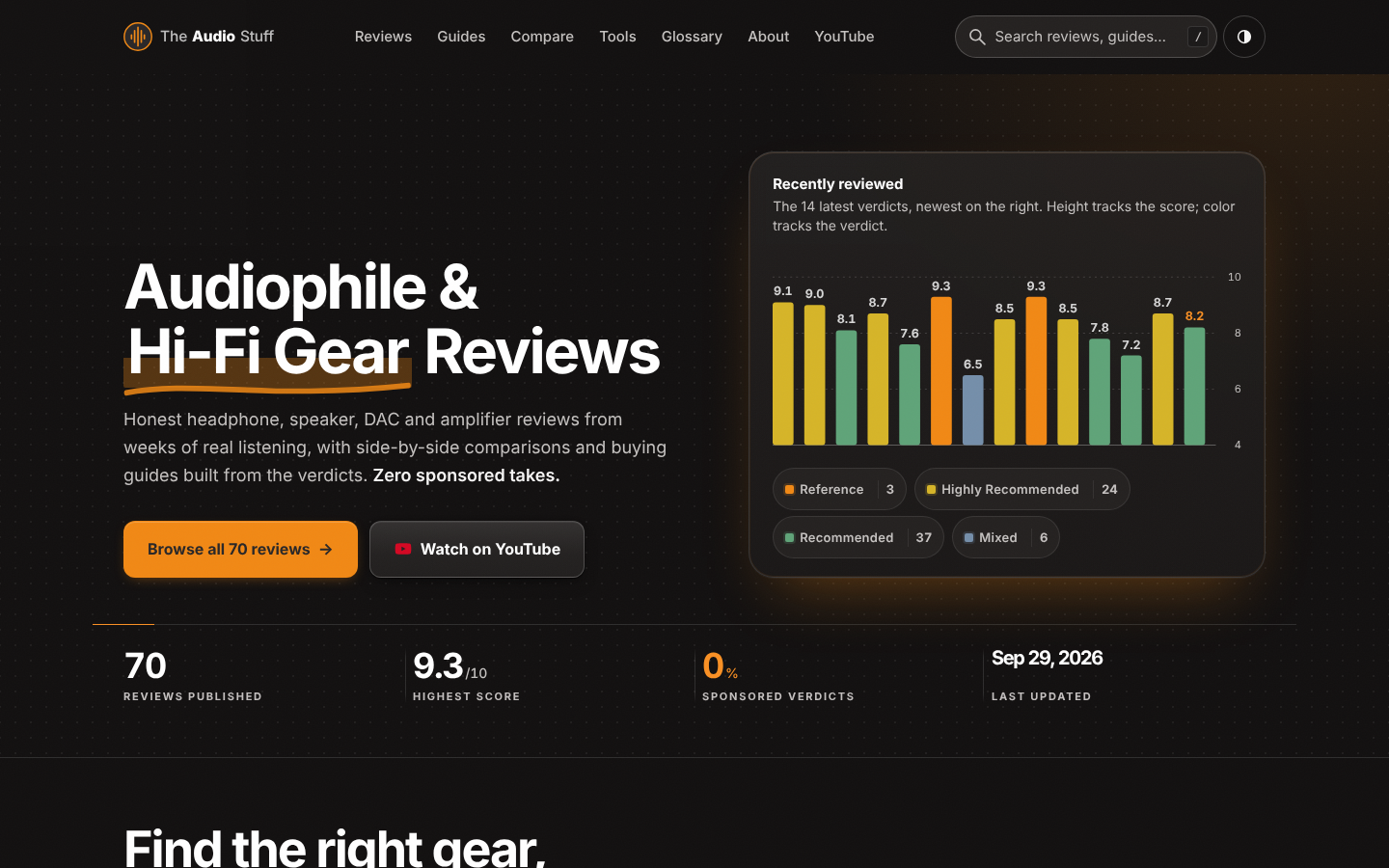
Find the right hi-fi gear for your ears, room and budget: ad-free reviews from weeks of listening, 12 buying guides, 35 comparisons and 17 free audio tools.
Get Face Report is an AI-powered facial analysis and personal styling platform that helps users understand their facial features

Antique Scanner reads hallmarks, maker's marks and wear in your photos — and returns an honest identification with age and value ranges.
Turn Flat Images Into Editable Layers.
