Busy Nurse brings a clear and distinctive perspective to interactive software design and stateful workflow simulation.
Busy Nurse gives visitors a working example they can inspect directly, while Busy Nurse keeps its scope visible in the shift options, ward work sheet, and educational notice.
This listing highlights what the product actually offers and the kinds of people who may find it useful.
Busy Nurse keeps the nurse’s daily work visible through a playable ward scenario.
Busy Nurse makes time visible through a shift clock and a task list that can move from pending to due or complete.
That structure gives the simulation a useful software-design angle: the product must keep the selected shift, patient context, upcoming tasks, and player status in view together.
Busy Nurse presents those elements in a ward map plus a work sheet, making it straightforward for a developer or product builder to inspect how a compact interface can expose a changing workflow.
Busy Nurse gives the nurse role room to stay visible throughout the workflow.
The Busy Nurse screen combines patients, tasks, scheduled medications, status indicators, and the nurse's own needs.
The nurse player must read across those elements instead of operating a single linear form.
Busy Nurse demonstrates how a simulation can represent a work domain through several connected views: a floor plan for spatial context, patient cards for individual information, and a checklist for timing.
Busy Nurse keeps a nurse-centered perspective across each shift and task.
Busy Nurse shows a work sheet beside a ward floor plan, giving the player a practical view of both the unit and the next tasks.
The board can list medication rounds, vital-sign checks, patients awaiting transport to surgery, a new emergency admission, physician rounds, discharge education, lunch, documentation, and shift handoff.
Busy Nurse uses times and status labels to make pending work legible; the player can compare what is due with what is waiting.
Busy Nurse is a game first, with the nurse shift as its central story.
In Busy Nurse, patient cards provide the kind of context that makes a task meaningful: a condition, a status, observations, a medication schedule, or a special need.
A scenario can include respiratory monitoring, diabetes care, a wound, a planned operation, heart-failure monitoring, or stroke-related mobility and swallowing concerns.
Busy Nurse connects the shift list to these bedside details so the game feels like more than clicking through a checklist.
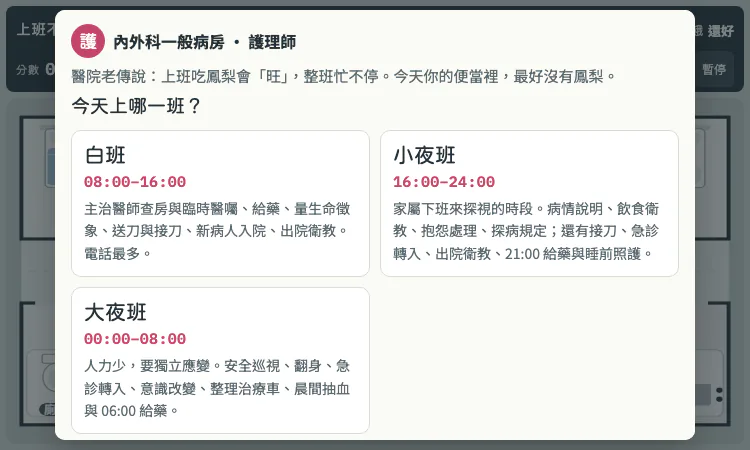
Busy Nurse lets the player choose a day shift, an evening shift, or an overnight shift.
The day shift emphasizes rounds, orders, medication, vital signs, surgery preparation, admissions, discharge teaching, and a handoff at the end.
Busy Nurse makes the schedule itself part of the challenge, and each selection frames a different kind of nurse workload.
Busy Nurse combines a ward map, work list, patient panels, a clock, a score, and personal-status meters in one interface.
The player can pause or enter fullscreen, and the layout changes for smaller screens.
Busy Nurse presents a quick visual overview of the shift rather than asking visitors to read a long manual before trying the idea.
Busy Nurse offers day, evening, and overnight modes with different duties and different kinds of interaction.
The shift choice changes the context a user sees: physician rounds and planned discharge in daytime, visiting families and sleep routines in evening, or safety checks and overnight admissions at night.
Busy Nurse gives designers a concrete example of how one product can present several scenario configurations while retaining a consistent core interface.
Busy Nurse does not present itself as an AI nurse or a substitute for clinical software.
Its value as a software example comes from its interactive framing, visible state, and recognizable workflow rather than from hidden automation claims.
Busy Nurse can be discussed alongside simulation design, educational UI, or human-centered task boards without implying that it makes real patient-care decisions.
A developer or product manager can open Busy Nurse, select one of the shifts, and inspect how the page organizes patient, task, and timing information.
Busy Nurse provides a recognizable domain with enough complexity to make prioritization visible, yet the first screen remains understandable.
The game is a useful small-scale reference for anyone thinking about scenario-based products, teaching tools, or browser interfaces that need to keep a map and a queue readable together.
Busy Nurse is a browser-playable nurse shift simulation game built around the busy rhythm of a general medical and surgical ward.
Busy Nurse puts the player in the nurse role, asks them to choose a shift, and presents a ward board with patients and work waiting to be handled.
Busy Nurse turns familiar shift pressures into an interactive scenario instead of a static article, so a visitor can see the product idea within the first screen.
The pineapple superstition in its opening gives the experience a memorable, light touch while the tasks remain recognizably connected to ward work.
Busy Nurse includes work that depends on communication as well as clinical tasks.
The shift setup calls out physician rounds and temporary orders, handoff, family questions, discharge education, and the need to check that instructions are understood.
Busy Nurse also references SBAR reporting, GCS assessment, patient and family communication, and transfer coordination in its product description.
Busy Nurse is designed for people curious about nursing routines, students who want a playful way to revisit familiar terminology, educators seeking a conversation starter, and general audiences interested in healthcare work.
It can help a nurse learner talk through time pressure, prioritization, communication, and the variety of tasks that share a single shift.
Busy Nurse does not claim to teach a complete clinical protocol; its scenarios, values, and medication doses are explicitly for game practice, and real clinical decisions must follow orders and local rules.
A visitor can open Busy Nurse and begin by choosing a shift.
The opening screen introduces the ward and shows the work sheet; the day-shift view, for example, includes scheduled medication, vital signs, surgery transport, admission, rounds, discharge teaching, lunch, and documentation.
Busy Nurse is best understood by looking at how those pieces sit together rather than by treating it as a conventional quiz.

Flying Roadster AI Video Generator uses car references and optional portraits to make a defined flight sequence, with selectable resolution, framing, credits.

Project Moon Life is a browser simulation where a resident’s health, sanity, resources, and relationships shift as each decision changes the next year.
Premium undetected game modifications, HWID spoofers, and free gaming tools designed for seamless performance, maximum stability, and account safety.
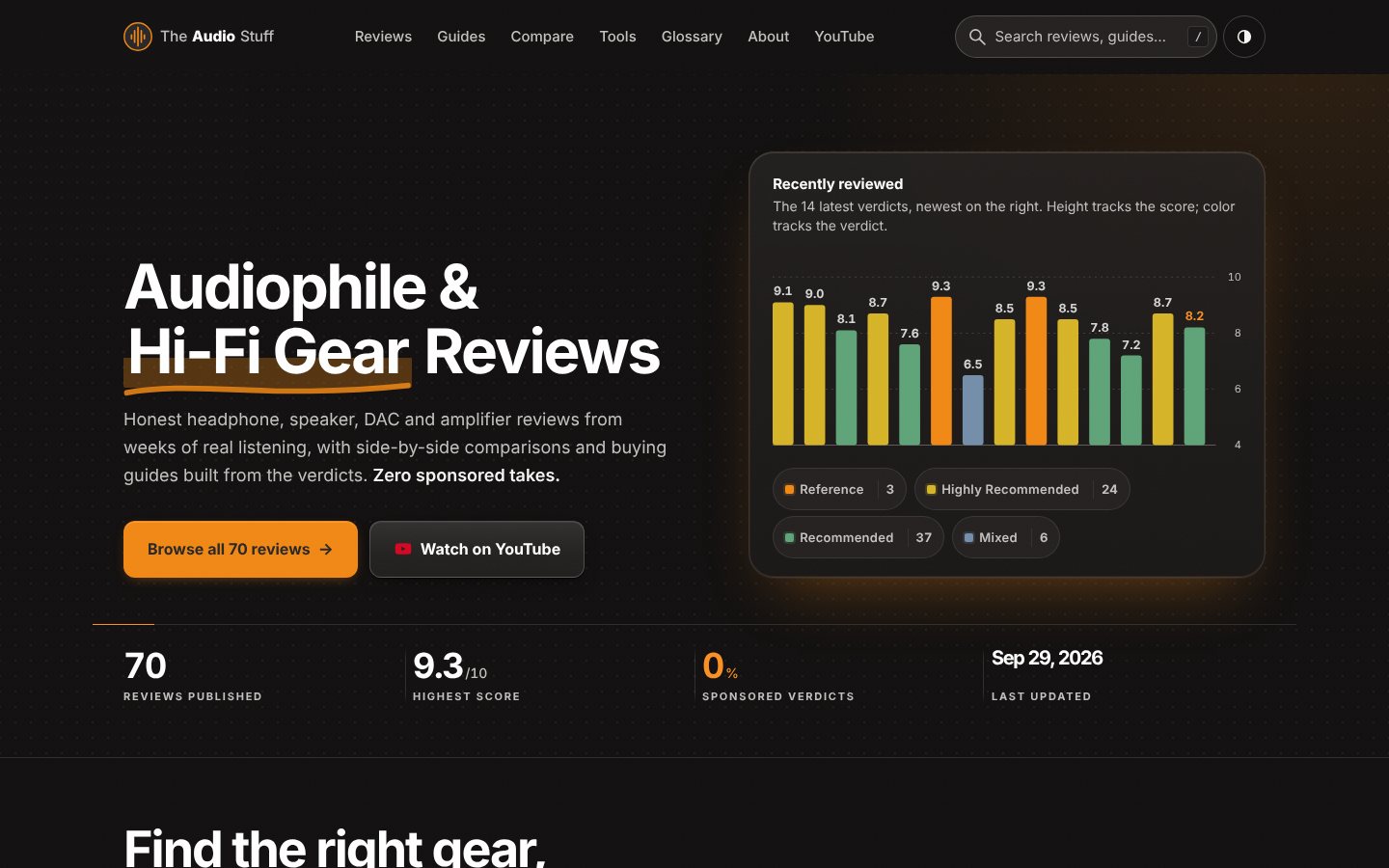
Find the right hi-fi gear for your ears, room and budget: ad-free reviews from weeks of listening, 12 buying guides, 35 comparisons and 17 free audio tools.

Get Face Report is an AI-powered facial analysis and personal styling platform that helps users understand their facial features

Antique Scanner reads hallmarks, maker's marks and wear in your photos — and returns an honest identification with age and value ranges.
