Abstract feature lists rarely explain how a tool fits into real work. So instead of summarizing what NanoGPT offers, this piece follows one imaginary but typical user, a marketing consultant named Dana, through a single Tuesday. Everything Dana does below is grounded in what the NanoGPT site actually provides: the catalog counts, the pricing rules, and the interface described on the home page.
Dana opens NanoGPT over coffee with forty-one unread emails and a blank status report due at noon. The first NanoGPT task of the day is mechanical: paste the inbox list, ask for a triage into "reply today", "read later", and "ignore". A frontier model would be wasted on sorting, so Dana picks one of the cheaper text models from the NanoGPT catalog, of which there are 652 in total.
The job finishes in seconds and costs a fraction of a cent. The NanoGPT response includes its exact cost, as every NanoGPT response does, so Dana can see the meter without opening a billing page. This is the quiet argument of the whole NanoGPT platform: small tasks should cost small money, and the interface should prove it on every single call rather than in a monthly invoice.
The status report is not mechanical. It needs to explain a delayed campaign to a client in terms that survive scrutiny. For this, Dana switches the NanoGPT model selector to one of the top text models, the kind that sits near the head of the NanoGPT composite benchmark table. NanoGPT tracks 114 benchmarks from 8 independent sources and scores 288 models, so the ranking is not marketing copy.
Dana pastes the campaign numbers and asks for a first draft. The NanoGPT answer is long, structured, and costs noticeably more than the morning triage, which is fine, because it is doing noticeably more work. When one paragraph comes out too defensive, Dana asks the same model to rewrite it. On NanoGPT, iterating on a draft costs tokens but not new commitments; there is no plan tier to worry about crossing.
The draft is decent, but Dana wants a second opinion before sending it. Rather than re-reading it alone, Dana switches to a model from a different lab, one of the 119+ AI labs represented on NanoGPT, and asks for weaknesses in the argument. The second model finds two claims that need hedging. This is the step that used to require a second subscription somewhere else; on NanoGPT it is a dropdown change, and the NanoGPT thread keeps the same context so nothing needs re-pasting between the two attempts.
The catalog makes the switch informed rather than random. Alongside the big closed labs, the NanoGPT list includes Qwen with 78 text models, OpenAI with 57, Z.AI with 39, Anthropic with 32, Google with 24, DeepSeek with 21, and Mistral with 21, plus smaller entries from Moonshot AI, MiniMax, NVIDIA, Xiaomi, Meta, and xAI. Dana does not use most of them on a Tuesday, but the NanoGPT breadth means the second opinion can come from a genuinely different training lineage.
After lunch, the deck needs three illustrations. NanoGPT groups 231 image models for generating, editing, and upscaling, and the free NanoGPT tier is not needed here; Dana's prepaid balance covers it. Two images come out usable, one comes out wrong, and the NanoGPT regeneration costs a few cents. If the deck needed video instead, 187 NanoGPT video models turn text or images into clips, though Dana does not touch those today.
Subscribers get a friendlier version of this step. The $12 per month NanoGPT plan includes 100 images per day on four image models, which resets daily, alongside 60 million input tokens per week that reset every Monday at 00:00 UTC. Dana has not subscribed yet, and the pay-as-you-go balance has not forced the question.
Before logging off, Dana looks at what the day actually cost. Every NanoGPT call reported its price when it happened, so the ledger holds no surprises: cents for the triage, more for the drafting and the images, a little for the second opinion. The NanoGPT balance started at five dollars, deposited by card with no deposit fee, and most of it is still there at 17:00. A NanoGPT crypto deposit could have started at ten cents.
This is where the NanoGPT pricing philosophy becomes concrete. The site states that API prices are list prices with no markup, and that deposits carry no percentage fees. Dana's alternatives were several separate subscriptions at fixed monthly rates, most of which would have been idle for the majority of hours in a month. The NanoGPT approach instead treats model usage the way a utility treats electricity: the meter runs when the work runs, and stops when it stops. Dana's NanoGPT balance simply carries over to Wednesday.
One user, one day, four kinds of work: triage, drafting, critique, and images. NanoGPT carried all four without a subscription, and the total spend is visible line by line. The honest caveats from the NanoGPT pricing page still apply: closed models like Claude, GPT, Gemini, and Grok bill from the balance even for subscribers, pinning a specific provider adds 5%, and bring-your-own-key requests cost 5% of the normal model price.
Dana's Tuesday is not a promise that NanoGPT will save everyone money. It is a demonstration that one prepaid NanoGPT balance can cover a whole mixed workload, with the model chosen per task instead of per contract, and with every NanoGPT response showing exactly what it took from that balance. Chats stay on Dana's device, per the NanoGPT privacy default, so the client details in that report never landed on a server the consultant does not control. For people whose work looks like Dana's, that is the whole product in a single day.

Flying Roadster AI Video Generator uses car references and optional portraits to make a defined flight sequence, with selectable resolution, framing, credits.

Project Moon Life is a browser simulation where a resident’s health, sanity, resources, and relationships shift as each decision changes the next year.
Premium undetected game modifications, HWID spoofers, and free gaming tools designed for seamless performance, maximum stability, and account safety.
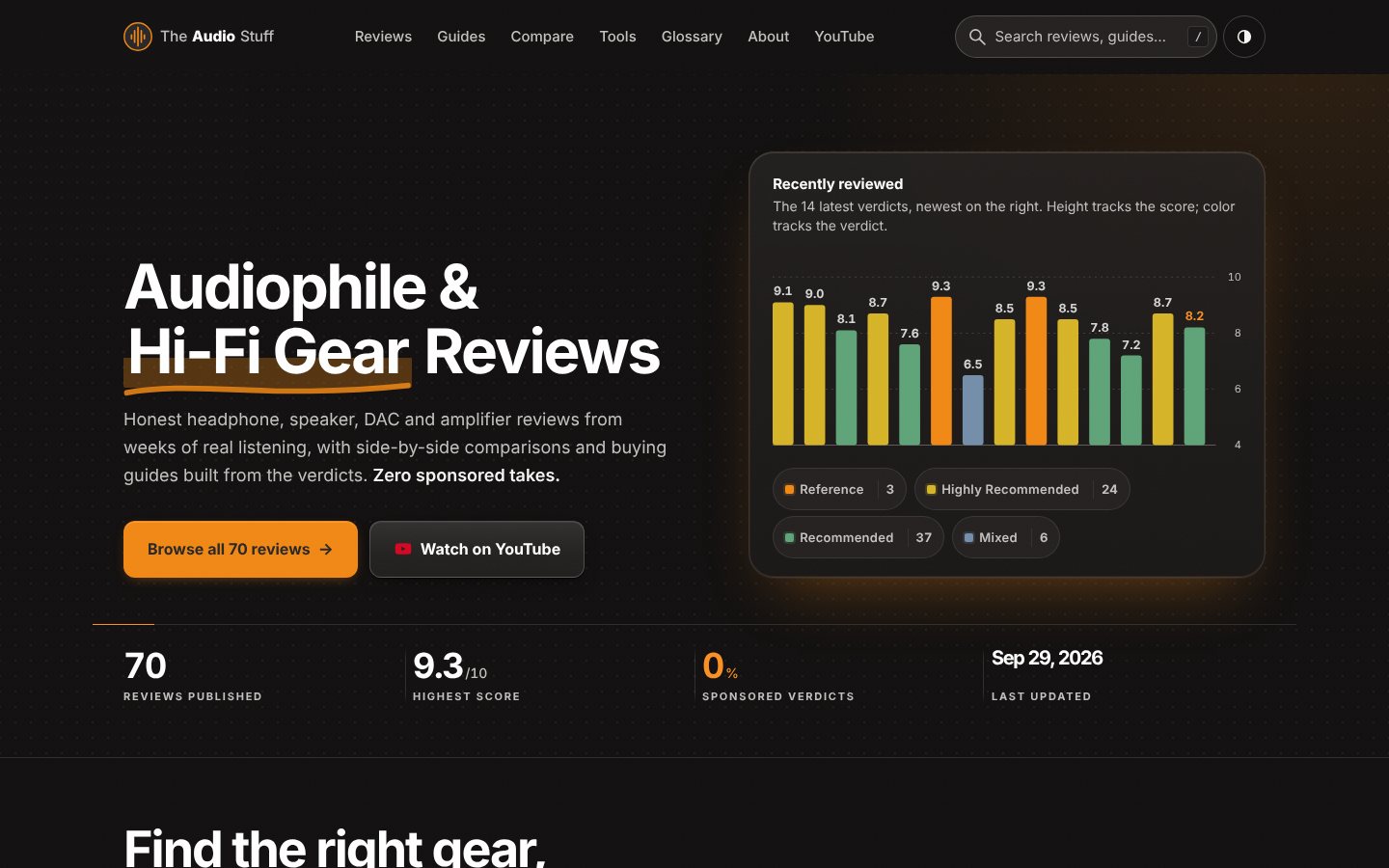
Find the right hi-fi gear for your ears, room and budget: ad-free reviews from weeks of listening, 12 buying guides, 35 comparisons and 17 free audio tools.

Get Face Report is an AI-powered facial analysis and personal styling platform that helps users understand their facial features

Antique Scanner reads hallmarks, maker's marks and wear in your photos — and returns an honest identification with age and value ranges.
